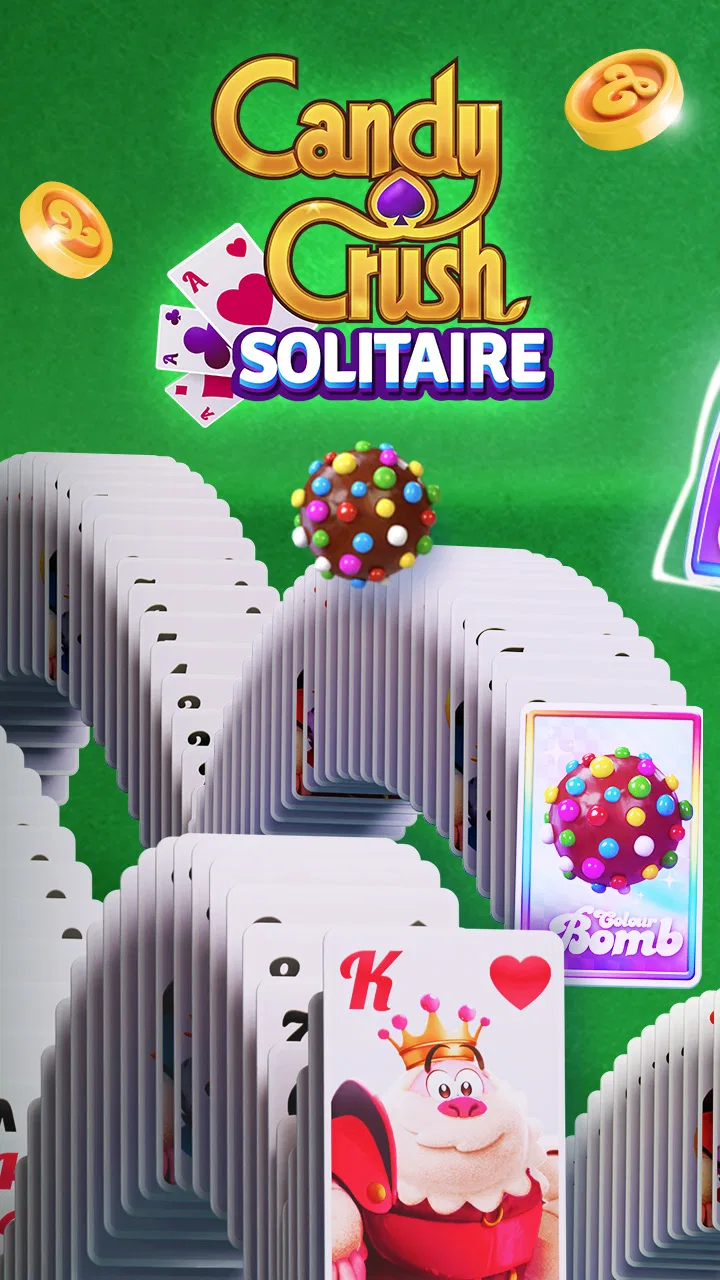
Candy Crush Solitaire
- 4.6
- Rating
- 5.00M
- Installs
- Free
- Price

 Analysis by App-foxy
I approached Candy Crush Solitaire expecting a familiar card game with a colorful King makeover, and that is exactly where its appeal lies. It is a free card game built around TriPeaks solitaire, but the presentation gives the traditional format a sweeter, more casual feel. I found it easiest to enjoy in short sessions: a quick round while waiting, a few attempts during a break, or a longer run when I wanted something relaxing without learning complicated rules.
The important thing is to see it as a focused solitaire experience rather than a replacement for every kind of card game. It does not aim to deliver the variety of a large card-game collection or the competitive depth of a multiplayer title. Instead, it takes one recognizable solitaire structure and wraps it in the bright, approachable style associated with Candy Crush. That narrow focus works well when I want a simple mental reset, although it can feel repetitive if I am looking for constant novelty.
Getting started without unnecessary friction
The game is made by King and is available free of charge, with optional in-app purchases ranging from $0.99 to $109.99 per item. That combination makes the first decision fairly straightforward: I can try the core experience without paying, but I should treat purchases as optional extras rather than part of the basic cost. Anyone sharing a device with children should also be aware of the purchase range and use the relevant device safeguards before handing the phone over.
You May Also Like

 Blood Strike: 2.5 Anniversary
Blood Strike’s Loadouts Turn Every Drop Into a Tactical Gamble
A close look at Blood Strike’s custom loadouts: how fast access to signature weapons reshapes its battle royale rhythm, rewards preparation, and narrows the gap between fights.

 Pandora - Music & Podcasts
Pandora’s Music Is Easy to Start, but Harder to Recover
Pandora’s strength is its low-effort path from a seed to a station. Its weak spot is how much confidence it asks you to place in connection, setup, and quiet recovery.

 8 Ball Pool
 Is Built on Rivalries, Rematches, and Routine
A close look at the rivalries, rematches, shared routines, and unanswered safety questions that turn a quick pool match into a persistent mobile community.

 Samsung Music
’s Quiet Strength Is Playing What You Already Own
Its reach comes less from spectacle than from dependable access to a personal library. That simplicity is both the app’s strongest retention engine and its ceiling.

 AccuWeather: Weather Radar
AccuWeather Review: A Quick, Clear Forecast for Everyday Decisions
For everyday plans, the best forecast is the one you can understand quickly. AccuWeather makes rain timing, radar, and local conditions easy to act on, with a few trade-offs.

 Hill Climb Racing
Why Hill Climb Racing Still Turns Crashes Into One More Run
A tiny car, a bumpy hill and one more upgrade: Hill Climb Racing keeps resurfacing because its simple chaos makes every near-miss feel personal.
More From Our News Desk



It supports Android devices running version 6.0 or later. That is useful for people with older phones, but compatibility on paper does not guarantee a perfect experience on every handset. If the game does not install, opens and closes immediately, or behaves strangely, I would first check the operating system, available storage, and whether the device has pending system updates. These checks are simple, but they solve more problems than repeatedly reinstalling an app without knowing what changed.
After installation, I would give the game a moment to complete its initial setup before judging performance. A crowded storage drive, unstable Wi-Fi, or a phone working through several background updates can make a new game seem broken when the real issue is the device environment. Restarting the phone, closing unused apps, and trying again on a stable connection are sensible first steps. I would avoid clearing anything important until I understood what local progress or preferences might be affected.
The age rating is Everyone, which matches the cheerful, accessible tone. That does not mean every player will enjoy it equally. Younger players may understand the card matching quickly, while adults who already know TriPeaks can begin immediately. The more relevant question is whether you like a guided, sweet-themed presentation around solitaire or prefer a plain card table with fewer visual distractions.
What the first rounds teach you
TriPeaks solitaire asks me to remove cards from the layout by selecting a card that is one rank above or below the current card. The familiar rhythm is simple: look for a legal move, expose more cards, and keep the sequence alive. Suits are not the central concern, so I spend more time thinking about order and visibility than about traditional poker combinations.
The first useful habit is to pause before tapping the obvious move. Removing one card can reveal another, but the best choice is not always the first available choice. When two cards are playable, I look at which one uncovers more of the board and which one preserves a useful continuation. This small change makes the game feel less like random tapping and more like light planning.
I also found it helpful to scan the covered cards before starting a long sequence. The visible layout gives clues about where the next opportunities may appear, and a little patience can prevent wasting a valuable run. This is one of the quiet strengths of the format: the rules are easy enough for a casual player, but careful card order still matters.
Because the game is built around short solitaire rounds, it suits a phone better than a large, complicated strategy title. I can play with one hand and stop after a single attempt without losing an hour. On the other hand, anyone expecting the broad rule variety of traditional solitaire collections may find the TriPeaks focus limiting.
Recovering when a session goes wrong
One of the most useful distinctions is separating a difficult round from a technical failure. If the board simply leaves me without a good move, that is part of the card puzzle. I would not immediately assume the app has malfunctioned. I first check whether another legal card is available, whether a face-down card can be exposed, and whether I have overlooked the current sequence.
When a tap does not appear to register, I try one deliberate tap rather than rapidly pressing the same area. Temporary lag, a finger landing near the edge of a card, or a busy screen can make an ordinary input feel unresponsive. If the whole game feels slow, I close other demanding apps, restart the game, and check whether the phone is unusually warm or low on free space.
For a game like this, restarting is usually more useful than changing lots of settings at once. I would note what happened, close the app normally, reopen it, and test a new round. If the problem appears only during a connection change, I would return to a stable network before trying again. This workflow makes it easier to tell whether the issue was a one-time interruption or something repeatable.
Reinstalling is a last resort for me, especially when I care about progress. Before using that step, I would make sure the account or save method associated with the game is available and that I understand what could be stored locally. A fresh installation can remove corrupted temporary files, but it can also create unnecessary risk if someone assumes every part of a previous session will automatically return.
Small habits that make the game easier to manage
I recommend playing the first few rounds as a learning session instead of chasing a perfect result. Watch how the layout opens, notice when a sequence ends, and identify whether the game offers another route before using any available recovery option. This approach is particularly helpful for younger players, because it teaches the card logic without turning every failed round into a reason to spend money.
Another practical habit is to avoid making purchase decisions while frustrated. The free entry point is enough to discover whether the basic TriPeaks loop is enjoyable. If I am repeatedly stuck, I first ask whether the problem is my move order, my attention, or the device itself. Spending money does not automatically make a solitaire layout more satisfying, and a player who dislikes the core rhythm will probably not be converted by extras.
I also prefer to keep notifications and interruptions under control during a serious attempt. A short solitaire game is easy to abandon, but an interruption at the wrong moment can break concentration and make the result feel unfair. Using a quieter setting on the phone, when appropriate, helps me judge the game itself rather than the distractions around it.
For a family device, I would establish a simple rule: children can play the free portion, while purchases require an adult decision. The Everyone rating makes the game approachable, but the presence of optional items means device-level purchase controls are still worth checking. That is a practical setup issue, not a criticism of the card design.
When the problem is outside the game
Some apparent faults are really caused by the phone or network. If other apps are also failing to load, the game may be only the place where the problem becomes visible. I would check the device date and time, available storage, connection stability, and whether the operating system is behaving normally. A quick comparison with another app can reveal whether the issue is isolated.
Storage deserves special attention because phones often appear to have room while temporary installation or update work needs more space than expected. Removing unused downloads and restarting the device can help. I would not delete personal files casually, and I would not assume that clearing app data is harmless. For a game with progress, that action should be considered carefully.
Network changes can also create confusing results. A session that begins on Wi-Fi and continues through a weak mobile signal may behave differently from one played with a steady connection. If a screen takes unusually long to respond, I would wait briefly, avoid repeated taps, and then retry after the connection settles. Rapidly switching networks can make diagnosis harder.
Performance expectations should be realistic as well. The game may run on Android 6.0 or later, but newer versions of Android and newer hardware can still offer a smoother experience. On an older phone, background processes, battery-saving modes, or thermal throttling may affect responsiveness. That does not necessarily mean the game is defective; it may mean the device is operating under limits that affect every visually active app.
If a problem continues after these checks, I would record the exact behavior: whether the game fails at launch, freezes during a round, ignores taps, or loses progress. Repeating the same test after a restart is more useful than reporting only that it “does not work.” Clear observations make support conversations more productive and prevent unnecessary changes that could introduce a new problem.
How it compares with other solitaire choices
Compared with a plain TriPeaks app, this game is more inviting for players who enjoy bright themes and the familiar Candy Crush style. The trade-off is that the presentation is less neutral. If I want a quiet digital card table, minimal decoration, or a collection containing Klondike, Spider, FreeCell, and other formats, a traditional solitaire app is likely a better fit.
Compared with a broad casual puzzle game, the card structure here is more predictable. That is good when I want a repeatable mental exercise without learning a new mechanic every few minutes. It is less appealing when I need constant changes in objectives or a stronger sense of discovery. The game’s identity comes from making TriPeaks approachable, not from reinventing card games.
It also differs from competitive card titles because the main appeal is personal decision-making rather than direct play against an opponent. I would choose it for a calm solo break, not for social competition or a deep ranking experience. That distinction matters for anyone browsing the card category and assuming every title offers multiplayer interaction.
The free-to-start model makes trying it easy, but the optional purchase range calls for restraint. I would recommend deciding in advance whether I am comfortable spending anything and setting device controls accordingly. For a casual solitaire game, the best value comes from enjoying the basic loop, not from treating every difficult round as a prompt to buy assistance.
Who will enjoy it most
This is a good match for someone who already likes solitaire but wants a more colorful, friendly wrapper. It is also suitable for a player who needs a low-commitment game that can be understood quickly and played in short bursts. The Everyone rating and straightforward card logic make it approachable for mixed-age households, provided adults manage purchases responsibly.
I would be more cautious recommending it to someone who dislikes themed interfaces, wants a large range of solitaire variants, or expects a completely offline card table with no connection-related interruptions. I would also point experienced card players toward a more traditional app if they care about detailed rule customization or a stripped-back interface. The appeal here is specific, and that specificity is both its strength and its limitation.
In an everyday scenario, I can imagine using it during a commute break or while waiting for an appointment. I would play one round, stop when the break ends, and return later without needing to remember a complicated storyline. For a parent, it can work as a simple shared game after checking purchase settings. For a long evening of focused play, however, the repeated TriPeaks structure may eventually feel narrower than a full solitaire collection.
The current version is 1.24.237, and the game has been available since February 5, 2025. Its average rating is 4.6 from around 60 thousand ratings, with about 2.3 thousand written reviews, while installs have passed 5 million. Those figures suggest a substantial audience, but I would still treat them as context rather than a guarantee that the style will suit me. A popular casual game can be enjoyable for many people and still be the wrong choice for a player seeking depth or variety.
After spending time with it, my practical verdict is positive but focused. Candy Crush Solitaire is strongest as an easy TriPeaks break, not as an all-purpose card-game replacement. I like the approachable rules, the quick sessions, and the way a small amount of planning can improve a round. I also appreciate that I can test the experience for free before deciding whether it belongs on my phone.
I would install it if I wanted a cheerful solitaire game for occasional play, especially on a compatible Android device running version 6.0 or later. I would first check storage, connection stability, and purchase controls, then give the basic rounds a fair trial. If I found myself wanting more variants, fewer visual layers, or stronger competition, I would move to a different solitaire or card app rather than forcing this one to meet needs it was not designed for.
For the right player, the sweet presentation adds personality to a familiar format without making the card logic difficult to learn. For everyone else, the limitations are easy to identify: one main style of solitaire, optional spending, and a casual pace that may not satisfy strategy-focused players. My recommendation is therefore simple: try it for the relaxed TriPeaks experience, keep spending deliberate, and judge it by how well that specific routine fits your daily play.
FAQs for Candy Crush Solitaire
01What is Candy Crush Solitaire and how does it differ from other solitaire games?
Candy Crush Solitaire is a unique twist on the classic solitaire game, combining the strategic elements of solitaire with the colorful and addictive gameplay of the Candy Crush series. Unlike traditional solitaire, this game includes candy-themed graphics, special boosters, and unique challenges that provide a fresh and engaging experience.
02Is Candy Crush Solitaire free to play or are there in-app purchases?
Candy Crush Solitaire can be downloaded and played for free. However, it offers in-app purchases for players who wish to enhance their gaming experience. These purchases may include extra moves, boosters, or ad-free gameplay. Players can enjoy the game without spending money, but purchases can provide a competitive edge.
03What are the system requirements for installing Candy Crush Solitaire on my device?
To install Candy Crush Solitaire, ensure your device meets the minimum system requirements. For Android users, a device running Android 4.4 or later is recommended. For iOS users, a device with iOS 9.0 or later is needed. Additionally, a stable internet connection is required for downloading and accessing some features.
04How can I sync my game progress in Candy Crush Solitaire across multiple devices?
To sync your progress in Candy Crush Solitaire across devices, you need to connect the game to your Facebook account. By doing so, your game data will be saved online, allowing you to resume your progress on any device with the game installed. Ensure you log in with the same Facebook account on each device.
05Are there any social features available in Candy Crush Solitaire?
Yes, Candy Crush Solitaire includes social features that allow you to connect with friends. You can compete for high scores, send and receive lives, and share achievements. By linking the game to your social media accounts, you can also participate in events and challenges with friends, enhancing the social gaming experience.
Pros
- Engaging and colorful graphics
- Simple
- intuitive gameplay
- Regular updates with new levels
- Offline play available
- Low battery consumption
Cons
- In-app purchases can be expensive
- Ads can be frequent and intrusive
- Requires internet for some features
- Progress can be slow without purchases
- Limited lives can be frustrating

Candy Crush Solitaire
Gallery